

Best Keyword Finder Tools for Content Creators on a Tight Budget
Find the Best Keyword Finder Tool Without Overspending
The best keyword finder tool depends on what you need to learn: Google Keyword Planner is a strong free starting point for search volume, PPC data, and seed ideas; Google Search Console finds queries your site already ranks for; and tools such as KWFinder, Exploding Topics, and AnswerThePublic help uncover long-tail terms, trends, and real customer questions.
For a tight budget, do not chase the biggest keyword list. Choose tools that help you answer three things:
- Is there enough demand? Check search volume and trend direction.
- Can your site realistically compete? Review keyword difficulty and the current search results.
- What does the searcher want? Match the page format to informational, commercial, or transactional intent.
Free tools can build a useful content plan, especially when you combine them. But they often restrict daily searches, competitor data, exports, local results, or rank tracking. Paid software becomes worthwhile when those limits slow down a growing content program.
I am Dileep Thekkethil, Director of Marketing at SEO Results and a Semrush-certified SEO professional with more than a decade of digital marketing experience. I have helped brands and agencies turn keyword data into practical content priorities, so this guide focuses on choosing the best keyword finder tool for traffic and revenue, not vanity metrics.
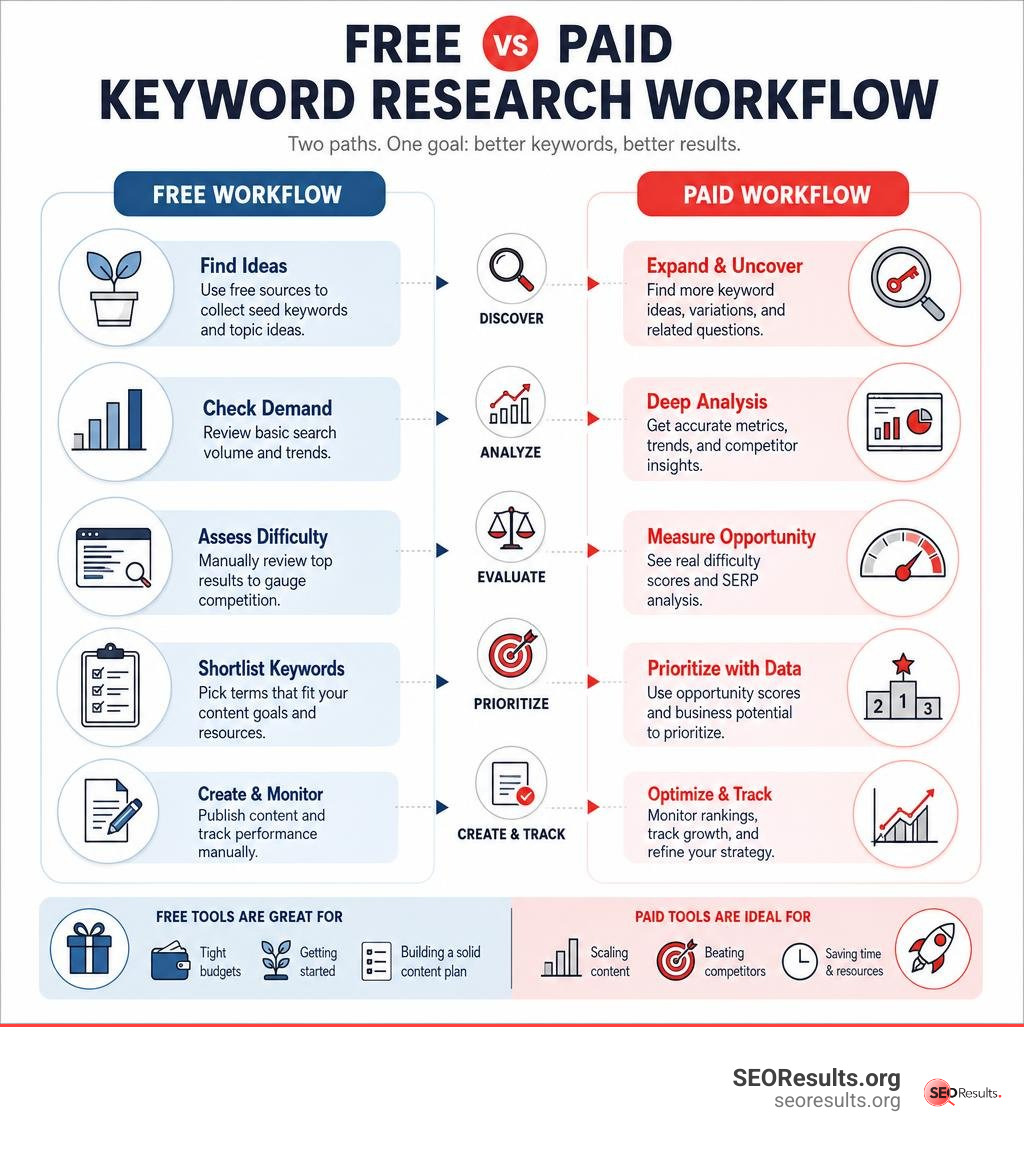
Easy best keyword finder tool word list:
Top Budget-Friendly and Free Keyword Research Tools in 2026
When operating on a lean marketing budget, you do not need to empty your bank account to access quality search insights. Modern SEO allows creators to assemble a high-performing stack using evergreen freemium platforms and native search data.
To help you choose the right balance between cost, query volume, and database depth, review this snapshot of leading options:
| Tool | Free Tier Limits | Database Size / Coverage | Best Use Case |
|---|---|---|---|
| Google Keyword Planner | Unlimited (Google account required) | Direct Google Search Network data | Seed queries, PPC forecasting, search intent themes |
| KWFinder (Mangools) | 5 searches / 24 hrs, 15 related keywords | 2.5B+ keywords, 65,000 locations | Precise keyword difficulty, local SEO, SERP weakness |
| Exploding Topics | Free basic access & topic search | 26B+ keywords | Emerging search trends, conversational AI prompts |
| AnswerThePublic | 3 free searches / day | Google, Bing, YouTube question scrapers | Visual question wheels, TOFU topic clusters |
| Google Search Console | 100% free for verified domains | 16 months of historical search data | Quick-win rankings (positions 11–20), CTR optimization |
| Allintitle KW Explorer | 10 free tokens / month | Multi-platform search engines | Title competition auditing, golden keyword discovery |
If you are just getting started with organic search workflows, pairing these tools with A Comprehensive Guide to Keyword Research Methods for Beginners gives you a clear roadmap to turn raw numbers into high-ranking content assets.
Google Keyword Planner: The Best Keyword Finder Tool for Search Intent & PPC Seed Data
Google Keyword Planner remains an essential free foundation for SEO professionals and content creators. Designed natively for the Google Ads platform, it gives direct access to historical search volumes, ad group groupings, and bid forecasts without requiring any active ad spend.
For organic content strategies, Keyword Planner’s URL-based discovery feature allows you to paste any competitor’s landing page and instantly extract the underlying search terms Google associates with that URL. Furthermore, its automated ad group themes provide ready-made semantic topic clusters, simplifying how you structure content pillars.
If you are refining your fundamental search strategy, our Beginners Guide to Search Engine Optimization Basics outlines how to integrate these seed queries into on-page assets. That Keyword Planner defaults to broad search volume ranges (e.g., 1K–10K) unless you maintain an active campaign, meaning you will often want to validate exact numbers with specialized organic tools.
KWFinder: The Best Keyword Finder Tool for Ad Hoc Long-Tail Research
When you need precise, reliable Keyword Difficulty (KD) scores and local search insights, KWFinder: Free Keyword Research & Analysis Tool | Mangools is an exceptional choice. Serving more than 25,000 paying customers alongside its free community, KWFinder maintains a database of over 2.5 billion related keywords that expands by roughly 20 million queries every single month.
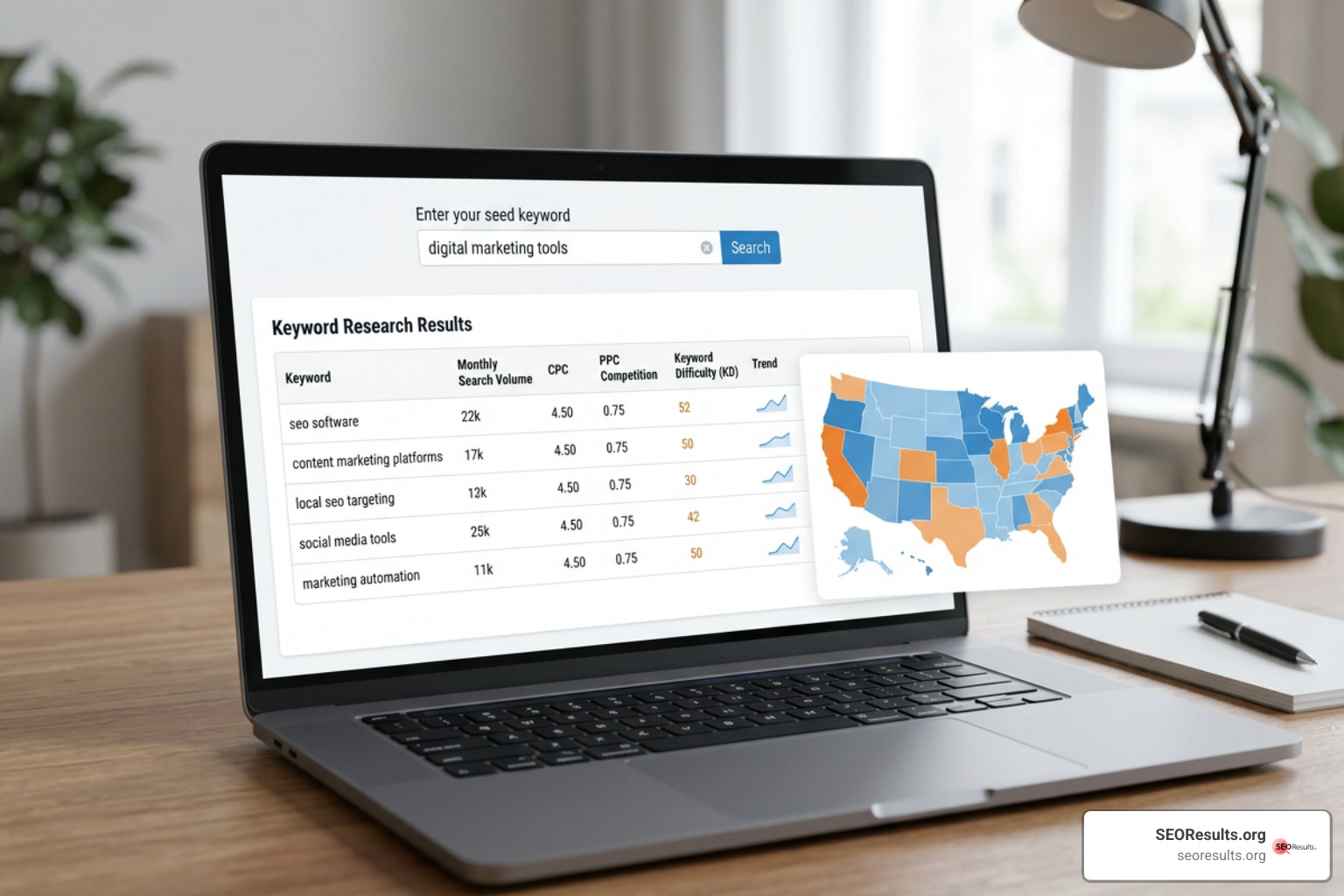
KWFinder’s free plan grants you 5 lookups per 24 hours, returning 15 related search queries and 5 competitor terms per search. Its standout strength lies in its localized SEO capabilities, supporting granular search volumes across approximately 65,000 geographic locations down to city and district levels.
In addition, KWFinder evaluates roughly 100 million competitor keywords monthly, allowing you to identify SERP vulnerabilities—such as top-ranking pages that lack exact match title tags or have not updated their content in over six months.
Exploding Topics: Spotting Emerging Trends and AI Prompts Early
Standard keyword databases rely on trailing 30-day historical averages, which means they can miss exploding consumer queries until competition is already stiff. FREE Keyword Research Tool: Check Search Volume + More solves this by identifying high-growth search terms months before they saturate competitive SERPs.
Built on an expansive database of more than 26 billion search queries, Exploding Topics scans conversations across social channels, forums, e-commerce stores, and generative AI platforms. This surfaces conversational search queries, trending products, and niche concepts that can inform early-stage content strategies.
The platform also highlights Personal Keyword Difficulty metrics, helping you weigh the feasibility of targeting breakout search phrases against your site’s specific domain authority.
AnswerThePublic and AnswerSocrates: Visualizing Question Queries
Question-mapping tools like AnswerThePublic and AnswerSocrates turn raw search autocomplete feeds into visual, intent-driven topic hubs. By analyzing modifier prepositions (such as how, why, where, can, and without), these platforms generate organized question wheels that mirror real user queries.
AnswerThePublic’s free tier provides 3 daily searches across Google, Bing, and YouTube. These question-focused strings are ideal for building Top-of-Funnel (TOFU) content, creating detailed FAQ blocks, and optimizing copy for search engine AI Overviews and featured snippets.
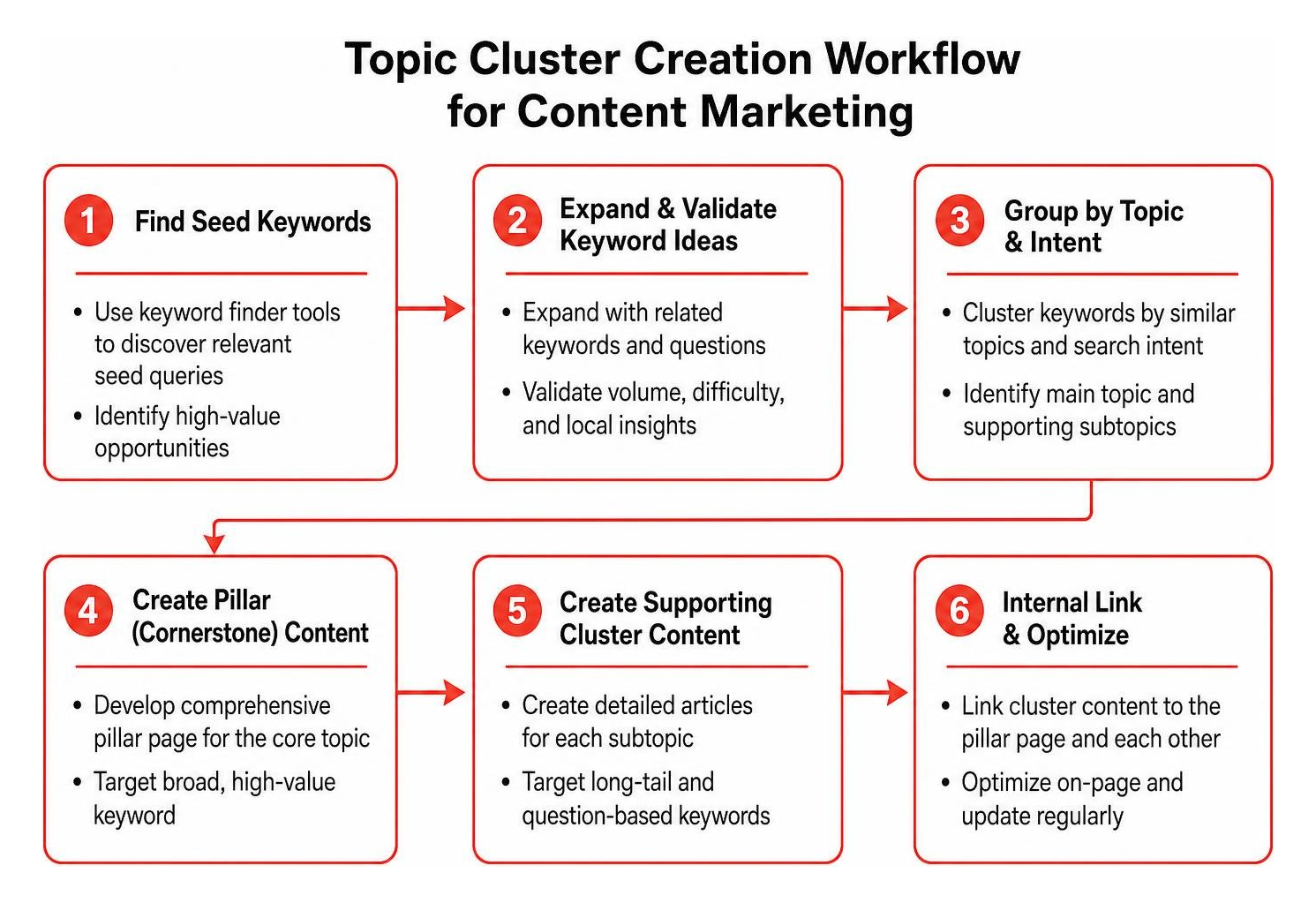
Combining these question databases allows you to map out comprehensive supporting articles that strengthen overall topical authority across your primary service or product areas.
Google Search Console and Autocomplete: Finding Immediate Ranking Wins
Some of the highest-ROI keyword opportunities are already hiding inside your existing digital footprint. Google Search Console (GSC) is 100% free and displays the exact queries driving impressions and clicks to your published pages over a trailing 16-month window.
- Audit Positions 11–20: Filter your GSC Performance reports for queries sitting on page two. These “almost ranking” terms require minimal optimization—often just adding targeted subheadings, clarifying internal links, or answering specific questions—to jump to page one.
- Harvest Autocomplete Wildcards: Use standard Google Search alongside wildcard operators (like typing an underscore
_before or between terms) to pull live autocomplete suggestions that third-party tools may miss. - Sequential Letter Appending: Type your primary seed keyword followed by sequential letters (e.g., “keyword research tool a…”, “keyword research tool b…”) to uncover niche, high-converting long-tail phrases.
Essential Features to Evaluate in Keyword Discovery Software
Evaluating keyword research tools requires looking beyond headline database counts. To ensure you invest your time and budget into tools that drive tangible organic revenue, assess platforms against these foundational criteria:
- Metric Accuracy and Calculation: The software must provide reliable monthly search volumes alongside a realistic Keyword Difficulty (KD) score calculated from live top-10 SERP competitor authority rather than purely paid bidding metrics.
- Granular Search Intent Tagging: Modern search engines prioritize intent matching. A capable platform automatically classifies queries into Informational, Commercial, Navigational, or Transactional intent.
- Historical Trend Visibility: Search behavior fluctuates. Historical multi-year volume graphs ensure you do not invest resources into seasonal fads or declining industries.
- Multi-Platform and Local Filtering: Because search happens beyond desktop Google, tools that support cross-channel search queries (such as YouTube, Amazon, and Bing) and regional geo-targeting deliver far higher strategic utility.
How to Choose the Best Keyword Finder Tool for Your Budget
Selecting the right balance of tools depends entirely on your publishing volume, technical requirements, and content maturity. For early-stage creators and small teams, an evergreen free tier or a low-cost browser extension is often more than enough to establish consistent search traffic.
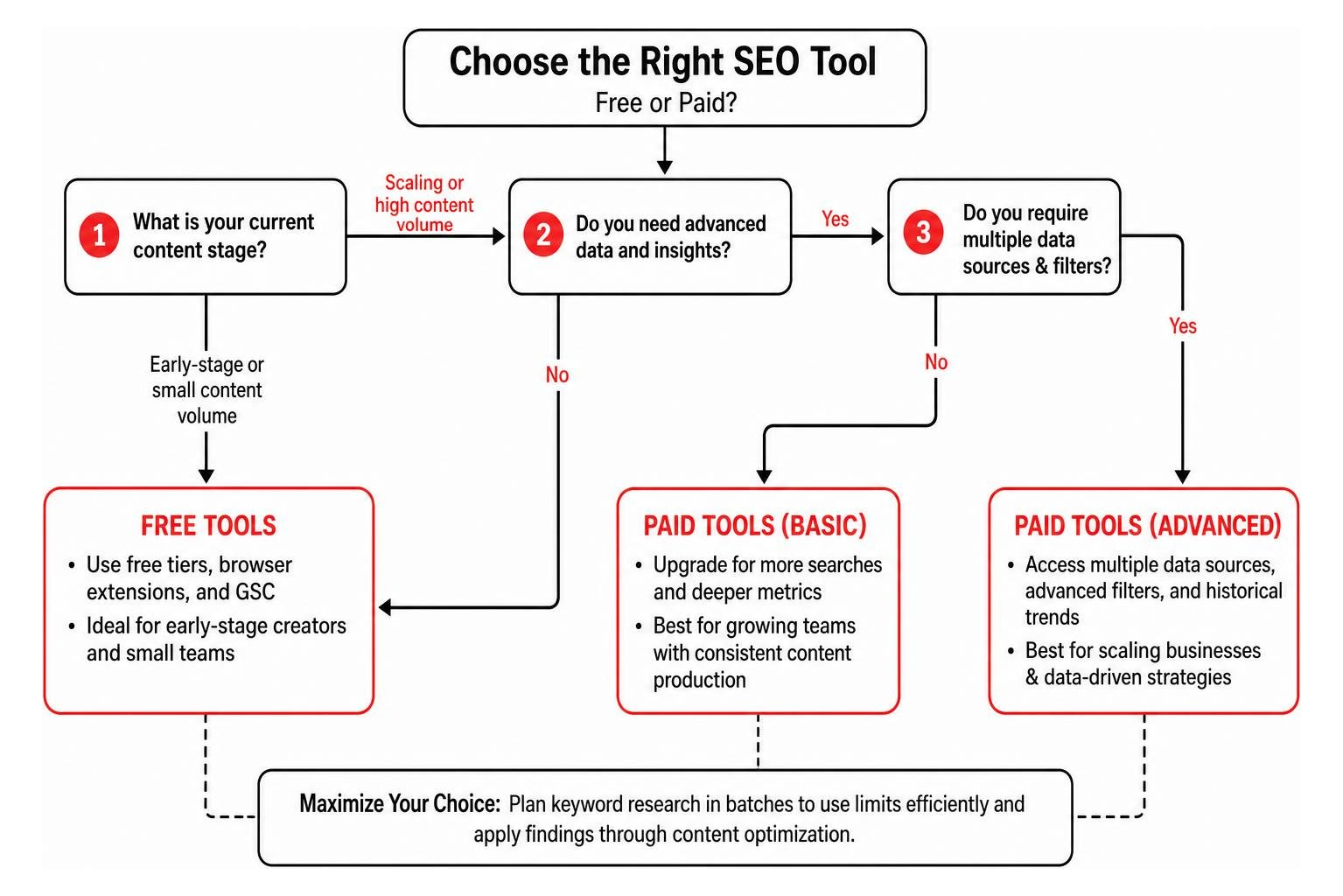
When using freemium suites, learn how to maximize daily search quotas by planning your keyword topics in batches. Once your keyword lists are collected, reference our Ultimate Guide to Keyword Content Optimization to ensure your target phrases are mapped naturally into title tags, headers, and semantic body copy.
AI Chatbots vs Dedicated Keyword Databases
With the widespread adoption of AI models like ChatGPT, Claude, and Gemini, many creators ask whether dedicated keyword research tools are still necessary. While generative chatbots excel at exploratory seed ideation and audience persona brainstorming, they do not replace dedicated search databases.
| Capability | AI Chatbots (ChatGPT / Claude) | Dedicated Keyword Databases |
|---|---|---|
| Seed Ideation & Brainstorming | Exceptional (fast, conversational variations) | Moderate (limited to database relationships) |
| Exact Search Volume Data | None (estimates are often fabricated) | High (direct API and clickstream metrics) |
| Real-Time SERP Analysis | Limited / Outdated | Live (checks live rankings, domain metrics) |
| Keyword Difficulty Scoring | Subjective / Unreliable | Algorithmic (based on backlink profiles) |
| Rank Tracking & Audits | No native support | Native continuous tracking |
The most effective modern workflow uses a hybrid model: leverage conversational AI to generate creative seed angles, user pain points, and topical clusters, then validate search volumes, competition levels, and SERP structures using dedicated tools or Model Context Protocol (MCP) integrations.
Proven Strategies to Find Low-Competition Keywords on a Budget
Finding low-competition ranking opportunities requires identifying weaknesses in existing search engine result pages. Instead of targeting short-tail terms dominated by enterprise brands, focus your resources on conversational, high-intent phrases.
- Target Specific Long-Tail Queries: Long-tail queries generally have lower keyword difficulty and convert at significantly higher rates because the searcher has a specific problem to solve. Learn more about this dynamic in our guide on Why Long Tail Searches Are Your Ticket to Better SEO.
- Leverage Allintitle Search Operators: Querying Google using
allintitle:"your keyword phrase"allows you to see the exact number of indexed web pages that have optimized their title tag for that specific phrase. Discover how to apply this technique systematically with The Allintitle Search Tool Your Secret Weapon for Finding Golden Keywords. - Spot Weak Ranking Competitors: Look for top-10 search results that feature user-generated forums (such as Reddit or Quora), outdated articles, or general sites lacking topical authority. These are clear indicators that search engines are looking for fresh, authoritative content.
Frequently Asked Questions About Keyword Research Tools
Can AI chatbots replace dedicated keyword research tools?
No. While AI chatbots like ChatGPT and Claude are valuable for generating topical ideas, drafting outlines, and mapping search intent, they cannot pull real-time search volumes, calculate live backlink-based difficulty scores, or monitor ongoing keyword rankings. Use AI for creative brainstorming, then verify your findings in a dedicated keyword tool.
When should you upgrade from a free keyword research tool to a paid one?
You should consider upgrading when daily search limits slow down your content pipeline, when you manage multiple client domains, or when you need automated features like daily rank tracking, backlink audits, and competitor content gap analysis. Low-cost paid options like Keywords Everywhere (starting at $6/month) or LowFruits (starting at $21/month) offer accessible stepping stones before committing to enterprise-grade software.
What is the best keyword finder tool for complete beginners?
For absolute beginners, Google Keyword Planner paired with Google Autocomplete offers the lowest barrier to entry. If you prefer a visual, intuitive interface with built-in difficulty scores, KWFinder’s free daily searches provide clear, easy-to-interpret metrics without a steep learning curve.
Conclusion
Building a high-performing organic search strategy does not require an enterprise software budget. By combining the direct audience data of Google Keyword Planner and Google Search Console with specialized discovery tools like KWFinder, Exploding Topics, and AnswerThePublic, you can build data-backed content plans that reliably capture traffic.
At SEO Results, we specialize in building integrated, authority-driven search systems that combine on-page optimization, content marketing, and generative AI visibility to drive measurable revenue growth. If you are ready to scale your organic visibility and turn keyword data into consistent business results, explore our team’s solutions to transform your search engine optimization strategy.